RSS reader for iPhone

The important
thing first

Lede Reader turns your RSS feeds into a front page. The more sources cover a story, the bigger its card. It groups stories in English, Finnish, Swedish, German, French and Spanish, and every article is saved on your phone, so you can read without a connection.

Download on the App Store €0.99 / $0.99 once · iPhone · iOS 26.4+
· · ·
How it works

Your feeds, weighted.

Lede Reader reads every feed you subscribe to, groups articles about the same story together, and ranks them by how many sources are covering each one.

Weighted by coverage

When ten publications cover a story, you see it.

Instead of ten separate articles in date order, you get one card that lists all ten sources. More sources means a bigger card, so the day's main story is hard to miss and a one-off post stays small.

Rare posts from the blogs you follow aren't drowned out by high-volume publishers. Mark a feed as Priority and its new posts get their own section at the top of the front page.

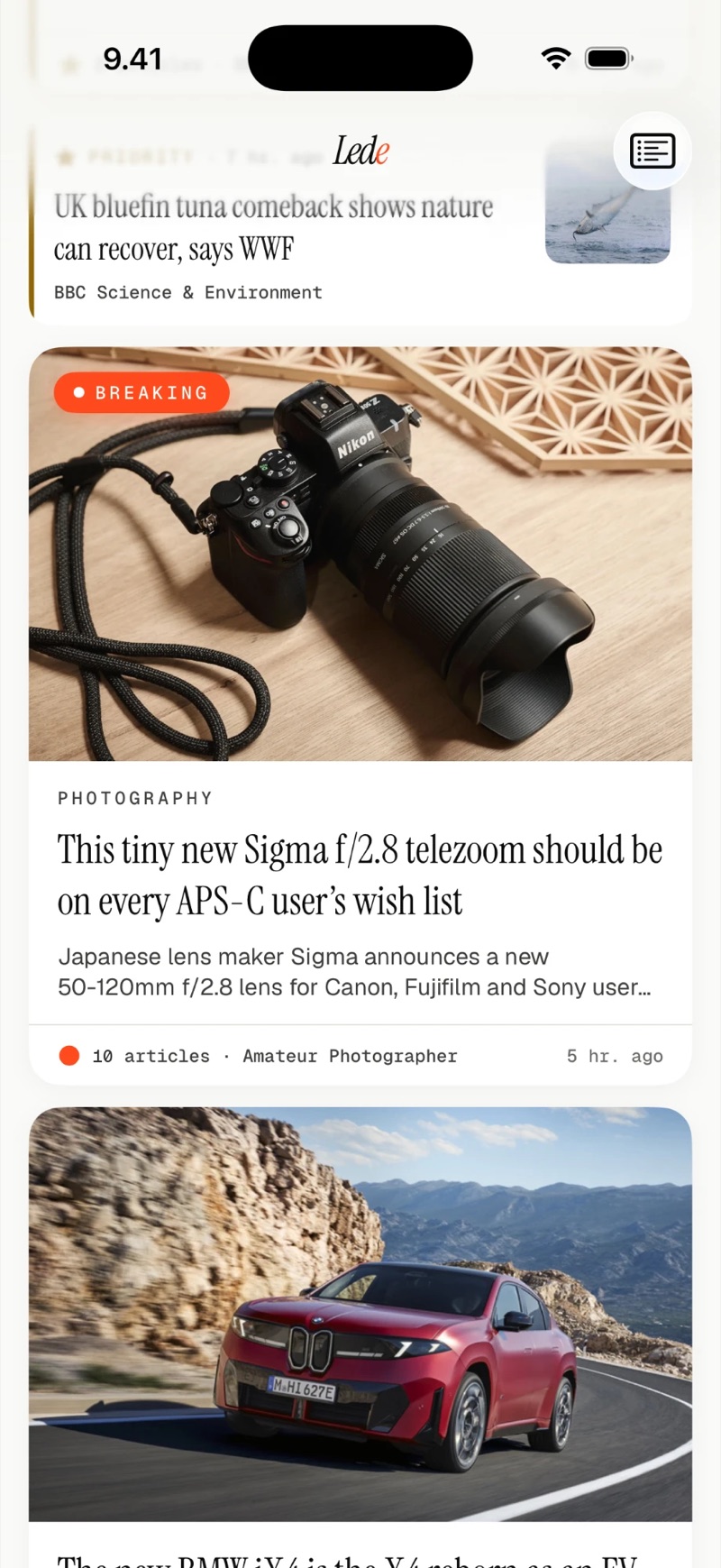
Lede Reader front page with a Breaking card for a story covered by 10 articles, the headline below the photo.
New in 2.0

Clustering in six languages.

Lede Reader uses a language model to decide which articles belong to the same story. Feeds in Finnish, Swedish, German, French and Spanish are now grouped as well as English ones.

English Suomi Svenska Deutsch Français Español

Runs on your iPhone

The model is built into the app. Articles are compared on the phone and are never sent to a server for it.

Language by article

Lede Reader detects the language of every article, so a feed that mixes languages is sorted one story at a time.

One language per card

Articles are grouped only with articles in the same language. If Yle and Le Monde cover the same event, you get a Finnish card and a French card.

Offline

Reading doesn't need a signal.

Each sync saves the articles and their images on your iPhone, so the front page and every story open on the metro, on a flight or at a cottage with poor coverage.

Whole articles

When a feed only carries a short excerpt, Lede Reader fetches the article page during sync and keeps the text without the site's menus, ads and newsletter sign-ups.

Images included

Photos are saved with each story. Cards and articles look the same with or without a network.

Kept for 30 days

Articles stay on your iPhone for 30 days, up to 1,000 at a time. Older ones clear out on their own, except the ones you have liked.

The front page

Laid out like a newspaper.

Card size follows coverage. The biggest story leads, stories with several sources get large cards, and single posts collect in a compact list at the bottom.

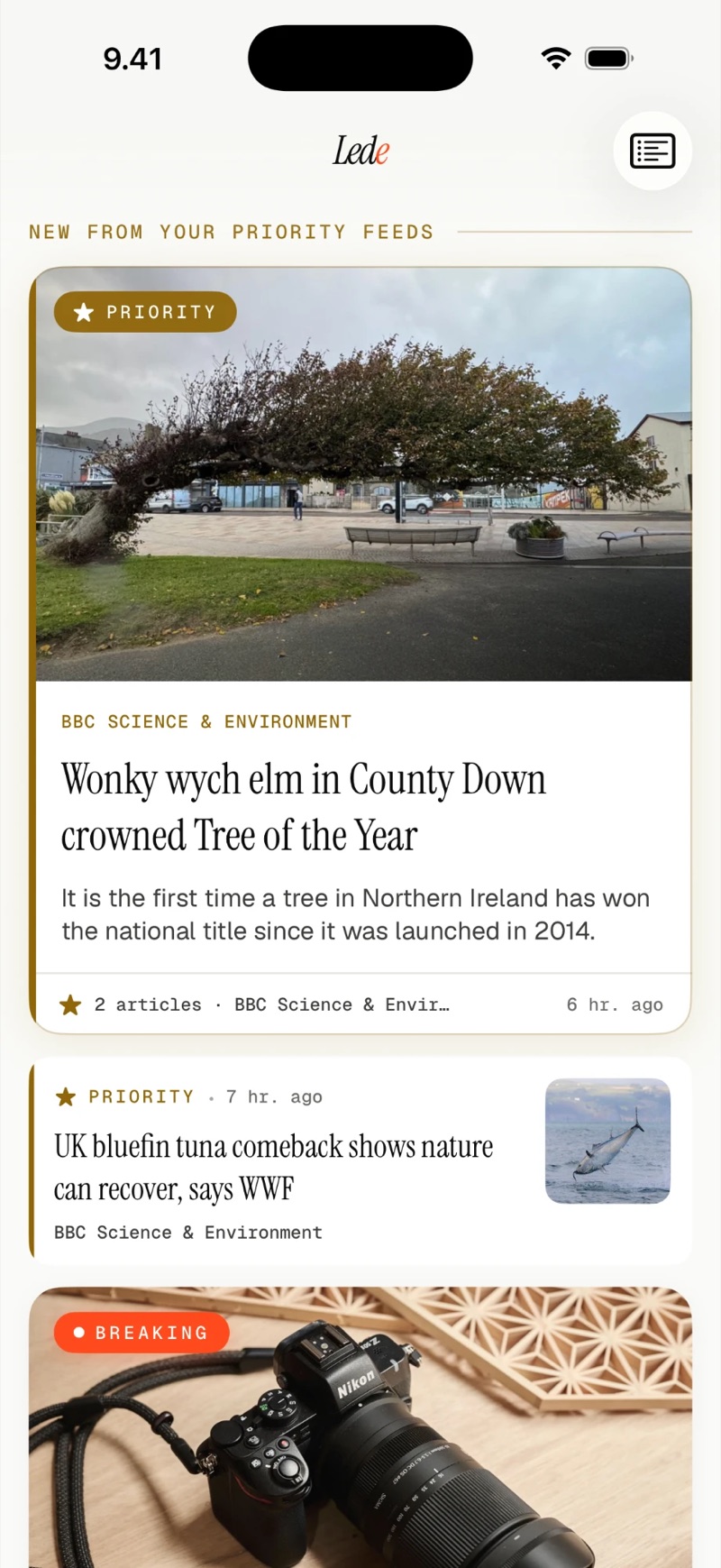
New from your Priority feeds at the top of the front page, with a large gold-edged card and a smaller row, and the Breaking card starting below.

Feeds you follow

New posts from your Priority feeds sit above everything else, marked in gold.

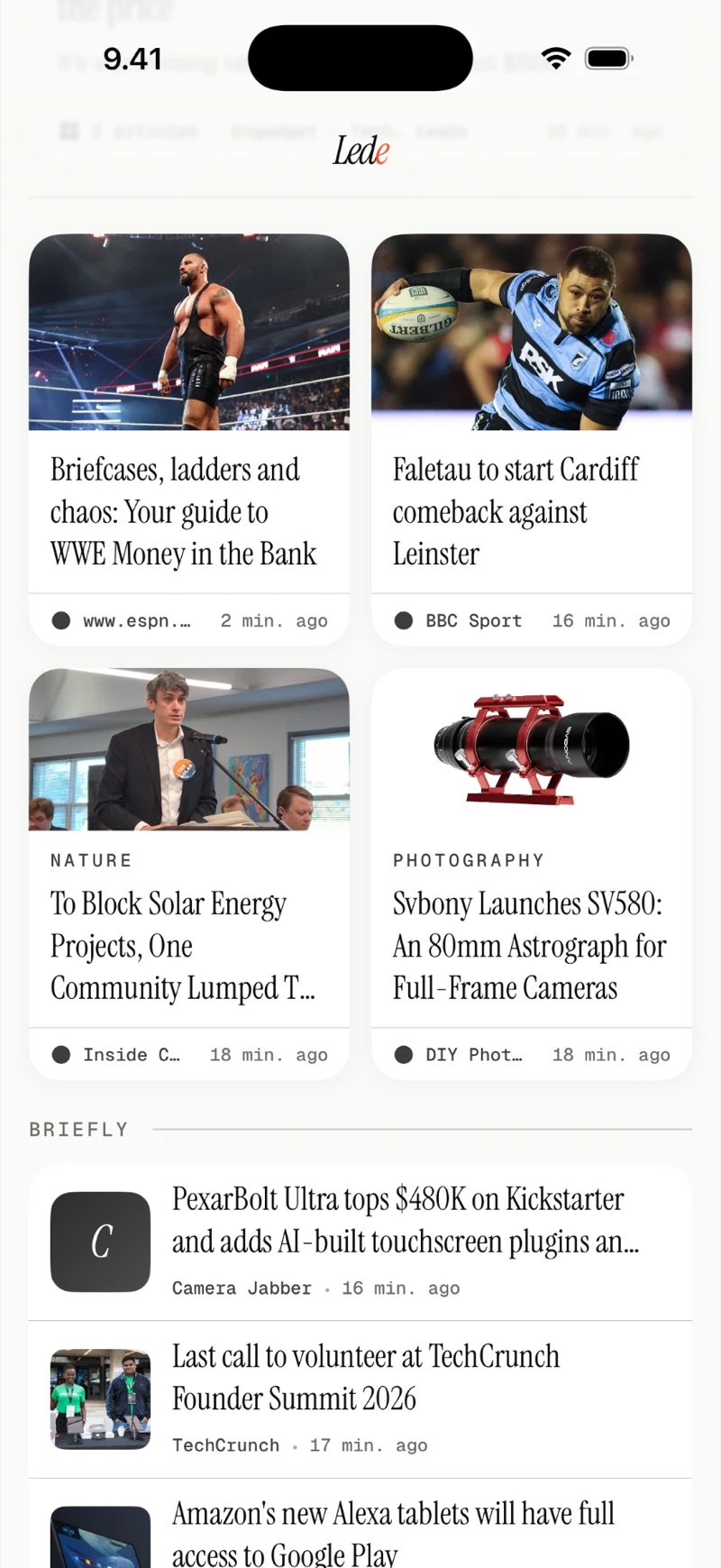
Two-column grid of medium cards with photos, followed by the Briefly list of single stories with small thumbnails.

Medium cards and Briefly

Smaller stories sit two to a row. Everything else is in Briefly, one line each, with a thumbnail.

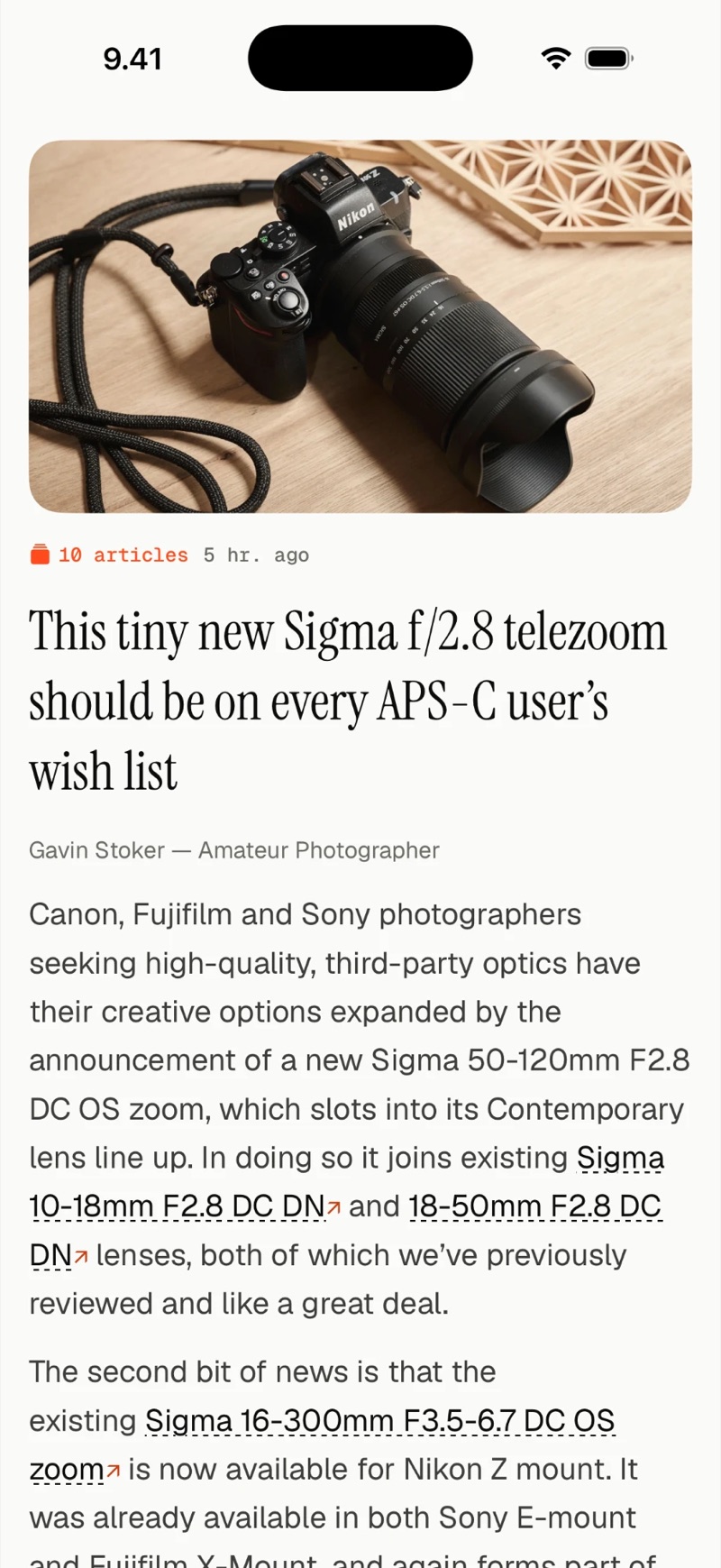
An article open in the reader: a large photo, the article count for the story, the headline and the full text.

The whole article

Stories open in full, with subheadings, quotes and lists. Tap a photo to see it full screen, and scroll to the end for the other articles on the story.

Screenshots from Lede Reader 2.0 on iPhone, with photography, nature and sports feeds.

Features

What's in the app.

Twelve things, and not much else. Each one exists because reading the news needed it.

1

Story clustering

Articles about the same event merge into one card, with every contributing publication listed. A language model built into the app does the matching on your iPhone, in English, Finnish, Swedish, German, French and Spanish.

2

Priority feeds

Mark the sources you never want to miss. They get their own section at the top, and you can turn on a notification for new posts.

3

Offline reading

Articles, full text and images are saved during sync. Nothing needs the network once it's on your phone.

4

Full-text reader

Articles open in full and keep their subheadings, quotes and lists. A story behind a paywall shows a small $ on its card, so you know before you tap.

5

Freshness window

Decide how far back the front page reaches, from 6 hours to 30 days. Older articles still count toward clusters and move to your history.

6

Hide title-only items

Items with only a headline and nothing to read can stay off the front page. They still count when stories are grouped.

7

Reading history

Stories you've read dim on the front page and move to history after the next refresh. Browse history by date or by source.

8

Swipe to read

Swipe left to mark a story read and open the next one, swipe right to go back. Pull down on an article to like it, and Lede Reader moves related stories a little higher.

9

iCloud sync

Optional. Your feeds, Priority settings and what you've read or liked stay the same on all your devices, through your own iCloud account.

10

OPML import and export

Move in from any other reader with a single file. Export your list as a backup, or share it with a friend.

11

Automatic feed discovery

Paste a website address and Lede Reader finds the RSS, Atom or JSON feeds on it. You don't need to know the feed's URL.

12

Feed health

Settings shows which feeds need attention: ones that have stopped working, moved to a new address or not updated for a while.

Philosophy

A newspaper's front page is still a good way to read the day's news: the biggest stories get the most space. Lede Reader builds that page from your own feeds. There is no engagement ranking, and nothing is tuned to keep you scrolling.

Why Lede Reader works this way
Readers

Who it's for.

Too many feeds

Follow a hundred sites and the same story turns up ten times. Lede Reader folds the copies into one card and tells you how many sources ran it.

Quiet blogs

A blog that posts once a month disappears under sites that post fifty times a day. Mark it as Priority and its posts go to the top.

Reading on the move

Metro tunnels, flights, summer cottages with a weak signal. Lede Reader downloads everything while you're online, so your reading doesn't depend on the network.

News in more than one language

Follow Finnish or German papers next to English sites and both get the same treatment. Each language's stories are grouped and ranked on their own cards.

Price

€0.99 / $0.99
paid once.

No subscription, no in-app purchases, no ads and no tracking. Updates are included.

Prices in other countries follow the App Store's local pricing.

Download on the App Store
Privacy

Privacy policy.

Last updated · 16 October 2026

Lede Reader keeps your reading on your iPhone. This page lists what is stored on the device, what goes over the network, and what I don't collect.

What stays on your device

All your reading data lives locally on your iPhone. Nothing is transmitted to a Lede Reader server at any point during normal use.

  • Your feed list: the URLs you subscribe to
  • Articles: fetched directly from each feed's publisher
  • Read history: which articles you've read, and when
  • Reading patterns: used only locally to prioritize what you see
  • Story grouping: the language model that groups articles, and the detection of each article's language, run on your iPhone
  • Preferences: your freshness window, display settings, and priority feed selections

If you enable iCloud sync, your feed list, Priority settings and read and liked states are mirrored to your private iCloud container. Article text is not synced; each device fetches it from the publishers. The container is tied to your Apple ID and not visible to me or anyone else.

What I don't collect

Lede Reader has no analytics, no trackers, and no third-party SDKs. There are no advertising identifiers and no crash reporting services.

I don't know how many feeds you have, which articles you read, how long you spend in the app, or whether you opened it today. There are no accounts, so there is nothing that could be linked to you.

You can check this. Lede Reader's App Privacy label on the App Store shows "Data Not Collected" in every category, and the label has to be updated if that ever changes.

What leaves your device

For Lede Reader to work, your iPhone must connect to the internet to fetch feeds. Specifically:

  • Direct requests to feed publishers. When you add the BBC's feed, your phone asks bbc.co.uk for it. The BBC sees your IP address and receives an HTTP request, just like when you visit their site in a browser. Lede Reader is not a middleman.
  • Article pages and images. To save stories for offline reading, Lede Reader downloads article pages and images from their original hosts during sync, the same way a web browser would.
  • Favicon fetches. When you add a feed, Lede Reader requests the site's favicon from the source domain.
  • Reddit feed key. If you connect Reddit in Settings, you sign in on Reddit's own page and Lede Reader keeps only your feed key, never your password. The key is stored in your iCloud Keychain and sent only to Reddit.

None of this goes through a Lede Reader server. There isn't one.

When you send feedback

If you send feedback from the app's settings, Lede Reader opens your device's Mail app with a pre-filled email addressed to hello@ledereader.app. The email contains:

  • Your typed message
  • App version, iOS version, and device model
  • If you explicitly opt in: a debug log of recent app events and errors, which can include the addresses of feeds and articles the app fetched (never article text), and/or your feed list

Diagnostics are off by default, and you can read everything in the email before you send it. The email goes through your own email account, so no Lede Reader server ever handles it. A copy stays in your Sent folder, and your own email provider delivers the message.

Children's privacy

Lede Reader does not knowingly collect any information from anyone, including children. The app has a 4+ age rating on the App Store and contains no user accounts, no social features, and no content directed at children.

Changes to this policy

If this policy changes materially, the updated version will be posted here with a new "last updated" date. Because Lede Reader does not have your email address or any way to contact you, I can't notify you directly, so check back here if you want to stay current.

Contact

Questions about this policy, or about anything else? hello@ledereader.app

Lede Reader is a personal hobby project by Antti, a private individual based in Finland. Full name and mailing address are available on written request to the same address, as required for formal GDPR data subject requests.